


POSSIBLE SURPRISES ON EVERY LOGIN
From now on, every login can result in good news from Supergooal website!
Login now and check your notifications! Maybe you won a bonus this time.
Supergooal betting shop pays betting bonuses within its promotions. If a notification has arrived to your account, you will see it after login in the upper right corner, immediately above your e-mail address.
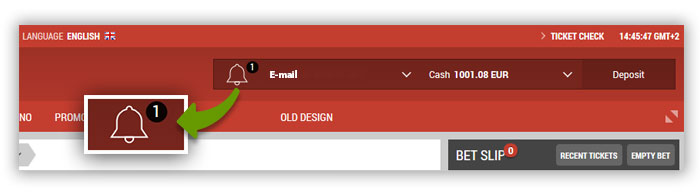
Slide over the Notifications field with the mouse and current notifications shall open. Here you can accept or reject the bonus.
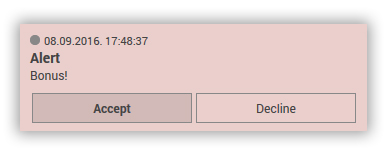
After confirmation of the bonus, the bonus will automatically pass to your account. By rejecting, you irreversibly confirm that you are not interested in the bonus and it will not be paid to your Bonus Account.
Login and find out if you received notification and an increase on the Bonus Account with it.